
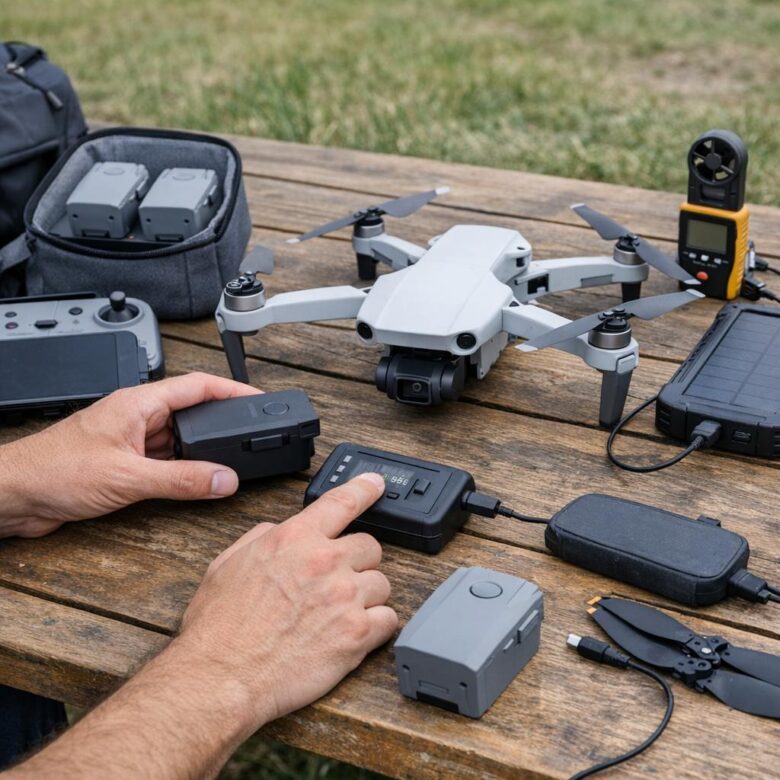
Extending drone battery life is not about reaching an exact number of cycles. It is about preventing unnecessary heat, unsuitable storage, physical damage, repeated emergency landings, incorrect charging, and warning signs that are ignored because the battery still appears to power on.
Flight batteries are consumable components. Their usable capacity and power delivery gradually decline with age, cycles, temperature, storage conditions, and the way they are charged and discharged.
Good maintenance can reduce avoidable deterioration, but no routine can guarantee that a battery will last three years, reach 300 cycles, or preserve a particular percentage of its original capacity. The exact battery manual, safety guidelines, application data, and manufacturer limits should take priority over generic advice.
Retiring every battery at exactly 200 cycles or 70% of original capacity is not supported across all consumer drones. Some enterprise batteries have published cycle limits, while many consumer batteries rely on condition, application warnings, performance changes, and model-specific guidance.
Drone batteries do not all use the same chemistry
The original version of this article described consumer drone batteries as lithium-polymer packs rather than lithium-ion batteries. That distinction is too broad.
Current drone products use different lithium-based constructions. Official DJI specifications, for example, identify the Mini 4 Pro battery as Li-ion, the Air 3 battery as LiPo 4S, and the Air 3S battery as Li-ion 4S.
Nominal voltage, charging-voltage limit, cell count, temperature range, maximum charging power, auto-discharge behavior, and battery-management features can therefore differ substantially.
Used in many compact camera-drone batteries. Exact cell voltage and charging limits depend on the design rather than one universal value.
Used in several higher-power drone batteries and FPV platforms. It is still part of the broader rechargeable lithium-ion battery family.
May include charge management, temperature monitoring, stored data, auto-discharge, cell monitoring, and communication with the aircraft.
Check the battery label and official specification page instead of assuming that every pack uses 3.7 volts nominal and 4.2 volts at full charge per cell. High-voltage lithium chemistries and intelligent packs may use different limits.
Compare energy with watt-hours
Milliamp-hours are useful when comparing batteries with similar voltage, but watt-hours provide a clearer measure of total stored energy.
Watt-hours = amp-hours × nominal voltage
Divide milliamp-hours by 1,000 to obtain amp-hours. A 5,000 mAh battery is equal to 5 Ah.
A 5 Ah battery at 11.4 volts stores approximately 57 Wh. That calculation describes energy capacity; it does not guarantee a particular flight time because aircraft weight, speed, wind, motors, propellers, temperature, payload, and reserve requirements also matter.
A complete battery routine
Check the casing, terminals, connector, latch, charge port, and application data. Do not begin charging a swollen, cracked, leaking, wet, unusually hot, recalled, or impact-damaged battery.
A battery that is hot after flight or very cold after transport may need time to return to its approved charging range. Do not apply direct heat or place it in a freezer.
Use the manufacturer-approved charger, hub, power adapter, cable, and charging method—or another product explicitly certified as compatible with the exact battery.
Confirm that charging completed normally and no cell, temperature, communication, or battery-life warning appeared.
Consider the return distance, wind direction, temperature, terrain, alternative landing area, and battery condition instead of waiting for one fixed percentage.
When the battery will remain unused, follow its exact storage-charge or auto-discharge instructions rather than leaving it full indefinitely.
Charging practices that reduce avoidable problems
Use the rated charging power
Manufacturer-supported fast charging should not automatically be described as harmful. Modern intelligent batteries may specify a maximum charging power and manage charging internally.
The important point is to remain within the official specification and use compatible equipment. An unknown charger, damaged cable, unsuitable protocol, or adapter that exceeds the permitted configuration can create charging errors or heat.
Charge within the stated temperature range
Many current DJI consumer flight batteries list charging from 5°C to 40°C, but that range is not universal. Read the specification for the exact pack.
When a battery has just completed a demanding flight, allow it to cool naturally before charging. Do not rely on a fixed waiting period such as exactly 30 minutes.
Use a suitable location
Charge on a stable surface in a dry, ventilated area away from direct sunlight, excessive heat, moisture, combustible clutter, children, pets, and objects that could damage the cable or battery.
Remain aware of the process
Follow the charger and battery instructions rather than leaving a questionable battery charging without supervision. Stop when the pack expands, smells unusual, becomes abnormally hot, hisses, leaks, smokes, or produces an error.
Repeatedly reconnecting a battery, changing to increasingly powerful adapters, bypassing its management system, or attempting to revive a deeply discharged pack can create additional risk. Follow official troubleshooting or contact the manufacturer.
Should the battery remain on the charger?
Charging hubs and intelligent chargers behave differently. Some stop charging when complete, some manage several batteries sequentially, and some provide power-bank or storage functions.
Do not assume that leaving a battery connected permanently is an approved storage method. Remove or store it according to the charger and battery manual, especially when the equipment will be unattended or unused for an extended period.
Do not charge immediately after every short flight merely to reach 100%
A battery does not need to be topped up after every brief test when it will soon be placed into storage. Repeatedly maintaining a pack at a very high state of charge for convenience can work against its storage-management system.
Charge close enough to the planned flight that the battery remains ready, while still allowing time to discover an error and prepare a replacement.
Storage is specific to the battery model
Many DJI consumer batteries are intended to be stored at a partial charge when unused for more than approximately 10 days. DJI’s general routine-maintenance guidance commonly recommends around 40% to 65% in a cool, dry environment, but the exact behavior must be checked for the product.
Some intelligent batteries reduce their charge automatically. The timing and target can differ dramatically:
- One model may begin reducing charge after one or two days.
- Another may wait nine or ten days.
- Some newer batteries reduce first to approximately 96%, then later to around 60%.
- Some older or simpler batteries have no automatic storage discharge.
- Certain enterprise batteries allow the start time to be configured in the application.
Keeping a compatible lithium battery completely full for long periods can accelerate aging and may contribute to swelling.
A battery stored nearly empty can continue self-discharging until it becomes difficult or impossible to recover safely.
Follow the official percentage, auto-discharge timing, maintenance cycle, and storage-temperature guidance for the exact battery.
Moderate warmth during a controlled automatic-discharge process can be normal on supported intelligent batteries. Unexpected high heat, deformation, smoke, odor, or an error is not normal.
Store in a cool, dry, ventilated location
Do not leave batteries in a parked vehicle, direct sunlight, a hot attic, next to a heater, in standing water, or where metal objects can contact the terminals.
Avoid publishing one universal storage temperature such as exactly 60°F to 70°F. DJI’s current general consumer guidance, for example, recommends a cool and dry environment and commonly identifies approximately 22°C to 28°C as preferable for several batteries. Other manufacturers or products may provide different limits.
Cases, sleeves, and battery-containment products vary in design and certification. Do not assume that any generic fabric bag or tightly sealed ammunition box will safely contain every lithium-battery failure. Use storage equipment suitable for the product and follow local fire-safety guidance.
Check batteries during extended storage
A stored pack should not disappear into a case for a year without inspection. Periodically check its physical condition and remaining charge according to the manufacturer’s schedule.
DJI’s general maintenance guidance recommends periodic charge-and-discharge maintenance for many compatible intelligent batteries during extended storage. The method should not be copied blindly because enterprise packs, consumer batteries, and batteries without auto-discharge may use different procedures.
Plan flight time without abusing the battery
Smooth flying can reduce unnecessary power demand, but the battery’s primary purpose is still to support safe aircraft control. Do not avoid an urgent climb, turn, or landing merely to protect cycle life.
Useful habits include:
- Plan the route before takeoff.
- Avoid unnecessary high-speed acceleration and braking.
- Reduce repeated climbs that add no value to the flight.
- Return before the route depends on critical-battery behavior.
- Account for a headwind on the return journey.
- Use a shorter route in cold, hot, windy, or remote conditions.
- Land when battery temperature or voltage warnings appear.
There is no universal landing percentage
Landing at 20% or 25% may provide a useful reserve during one short local flight and be dangerously late during a long return into wind.
The return decision should consider:
| Factor | Why it matters | More conservative response |
|---|---|---|
| Return distance | A farther aircraft requires more time and energy to reach the landing area. | Begin returning earlier rather than relying on the application’s final estimate. |
| Wind direction | A tailwind outbound can become a demanding headwind during the return. | Preserve additional energy and test return progress before the battery becomes low. |
| Temperature | Cold conditions can reduce available power, while excessive heat can increase battery stress. | Shorten the route and monitor temperature and voltage information. |
| Battery age and condition | An older battery may show faster voltage decline or reduced useful endurance. | Use a larger reserve and avoid critical work until performance is evaluated. |
| Landing options | People, vehicles, terrain, water, or wildlife may make the original landing area unavailable. | Preserve enough energy to reach an alternative location. |
| Flight mode and payload | Higher speed, strong acceleration, guards, lights, or payload can increase power demand. | Base the reserve on the actual configuration rather than a previous lighter flight. |
Critical-battery and forced-landing systems are emergency protections, not normal endurance targets. Repeated deep discharges can reduce battery performance and leave too little control over where the aircraft lands.
Cold and hot weather require different planning
Cold conditions
- Keep batteries within their approved storage and operating ranges.
- Precondition them only through a manufacturer-approved method.
- Confirm a full charge and normal cell information before takeoff.
- Begin with gentle control inputs while monitoring voltage behavior.
- Expect shorter practical endurance and preserve a larger reserve.
- Watch for condensation when moving equipment between cold and warm environments.
Hot conditions
- Do not leave batteries or chargers in a parked vehicle.
- Keep equipment shaded before use when possible.
- Allow a hot battery to cool naturally before charging.
- Avoid covering ventilation openings during charging.
- Stop when the aircraft or application reports an over-temperature condition.
- Do not cool a hot pack suddenly with ice, water, or a freezer.
A battery warmer or self-heating function should be used only as documented for the exact product. Placing a battery directly against a heater, under a heat gun, or in an improvised warming device can create uneven or excessive heat.
Rotate batteries for organization, not to chase identical cycle counts
Numbering several batteries can help identify changes in endurance, charging behavior, storage history, warnings, or impact exposure.
Rotating through a set can prevent one pack from receiving every routine flight while others remain forgotten. However, batteries do not need to be forced to have identical cycle counts.
Select the battery appropriate for the operation. A newer, healthier pack may be preferable for a long, cold, remote, or professionally important flight, while an older but serviceable battery may be reserved for short controlled practice.
Keep a simple battery record
Useful information can include:
- Battery identification number
- Purchase or activation date
- Cycle count when available
- Typical useful flight time under comparable conditions
- Unusual voltage or temperature warnings
- Hard landing, collision, water exposure, or transportation damage
- Firmware updates and maintenance procedures
- Date the battery was removed from flight use
Avoid estimating remaining health from cycle count alone. A low-cycle battery may still be old, swollen, heat-damaged, deeply discharged, recalled, or involved in a crash.
Warning signs that require attention
Physical warning signs
- Swelling or deformation
- Cracks, punctures, leakage, or corrosion
- Burn marks or melted plastic
- Damaged contacts or charging port
- A latch that no longer secures the battery
- Damage after a crash, drop, or water exposure
Performance warning signs
- Repeated cell or communication errors
- Unexpected shutdown or sudden percentage drop
- Unusual heat during normal use
- Much shorter endurance under comparable conditions
- Charging that repeatedly stops with an error
- Voltage behavior that differs significantly from the rest of the set
A change in charging time alone does not prove a specific internal failure. The charger, temperature, starting charge, selected power adapter, battery capacity, management system, and firmware can all affect the time.
Likewise, one short flight does not prove that a battery has lost a precise percentage of capacity. Compare several flights with similar wind, temperature, route, speed, and payload.
Swelling indicates an internal chemical or structural problem. Do not press the casing flat, puncture it, place it under weight, continue charging it, or install it merely because it still locks into the aircraft.
Cell-voltage differences
Intelligent applications may show individual cell voltages or issue an imbalance warning. Small differences can occur temporarily under load, during charging, or at different states of charge.
The original article recommended retiring every battery with a difference greater than 0.1 volt at full charge. DJI has published a 0.1-volt maintenance check for certain enterprise batteries, but it should not be applied as a universal consumer-drone retirement rule.
Follow the exact battery’s warning system and support instructions. Persistent or increasing imbalance, especially when accompanied by heat, reduced endurance, or voltage sag, requires manufacturer evaluation or replacement.
Original and third-party batteries
An aftermarket battery is not automatically defective, but compatibility involves more than fitting into the compartment.
Verify:
- Correct voltage, chemistry, connector, capacity, and dimensions
- Communication with the aircraft and battery-management system
- Compatible firmware and charging protocol
- Published safety testing or certification
- Manufacturer warranty implications
- Accurate weight and regulatory effect
- Reliable seller, recall support, and disposal process
Unknown packs with exaggerated capacity claims, missing safety information, poor fit, abnormal heat, or application errors should not be used merely because they cost less.
Common battery myths
Drone batteries can be labeled Li-ion, LiPo, Li-ion 4S, LiPo 4S, or another model-specific configuration. Check the official specification.
Use the charging power, temperature range, charger, and protocol approved for the exact pack. Unsupported or excessive charging is the concern.
The appropriate reserve depends on wind, distance, temperature, terrain, battery health, and available landing areas.
Use a published model-specific limit when one exists and consider physical condition, warnings, voltage behavior, age, and repeatable performance loss.
Storage damage, heat, impact, water, deep discharge, aging, and manufacturing problems can affect a lightly used battery.
Controlled self-discharge is a normal protective feature on many intelligent batteries. Timing and target charge differ by model.
Air travel with drone batteries
In the United States, spare lithium batteries must be placed in carry-on baggage rather than checked baggage. Each battery must be protected from damage and short circuit.
Generally permitted for personal use in carry-on baggage, subject to the airline’s rules and proper terminal protection.
Airline approval is required, and the FAA generally limits passengers to two spare batteries in this larger range.
Batteries likely to spark or generate dangerous heat must not be taken aboard unless they have been removed or otherwise made safe under applicable rules.
Protect terminals using the original packaging, a suitable battery case or sleeve, nonconductive tape, or an individual protective pouch. When a carry-on bag is checked at the gate, remove spare batteries and keep them in the cabin.
Airlines may impose stricter quantity, packaging, and approval requirements. International trips may also involve different national rules.
Safe end-of-life handling
Lithium-ion batteries should not be placed in household garbage or ordinary curbside recycling. They can be damaged by collection and sorting equipment and may cause fires.
The U.S. Environmental Protection Agency recommends taking used lithium-ion batteries to a specialized battery recycler, participating retailer, electronics recycler, or household hazardous-waste collection point.
For an ordinary undamaged end-of-life battery, protect the terminals with nonconductive tape or place the battery in its own plastic bag before taking it to an approved collection site.
Swollen, hot, leaking, recalled, or seriously damaged batteries may require a different process. Contact the manufacturer and receiving facility before transporting or shipping them.
Damaged, defective, and recalled lithium batteries are subject to additional transportation restrictions. A normal consumer parcel is not automatically an acceptable shipping method.
Battery-life and safety checklist
- Battery chemistry and specifications are known
- Correct charger, adapter, cable, and hub are used
- Charging remains within the approved temperature range
- Hot batteries cool naturally before charging
- Cold batteries are prepared only through an approved method
- Charging takes place in a suitable location
- Swollen or damaged batteries are never charged
- Full batteries are not stored indefinitely
- Nearly empty batteries are not left in storage
- Model-specific storage charge is followed
- Auto-discharge behavior is understood
- Batteries are kept away from extreme heat
- Terminals are protected from metal objects
- Each battery can be identified individually
- Application warnings are reviewed
- Return reserve reflects the actual route
- Forced landings and deep discharges are avoided
- Cold and hot weather reduce the planned route
- Unexpected voltage drops are investigated
- Physical condition is checked before every flight
- Cycle count is not used as the only health measure
- Spare batteries are carried in cabin baggage
- Airline watt-hour rules are checked
- End-of-life batteries use a proper collection facility
Frequently asked questions
How long should a drone battery last?
There is no guaranteed lifespan. Age, chemistry, storage, charging, heat, cycle depth, flight demand, physical condition, and model-specific limits all affect service life.
Should a drone battery be stored at 50%?
Partial-charge storage is common, but the correct target depends on the battery. DJI’s general guidance often recommends approximately 40% to 65% for compatible packs unused for more than 10 days. Check the exact manual and auto-discharge rules.
Is it normal for a charged battery to lose power while stored?
Yes, when the battery has a controlled auto-discharge feature or through gradual natural self-discharge. Review the official timing for the exact model before assuming the pack is defective.
Can a warm battery be charged?
Charge only within the battery’s approved temperature range. A battery that is hot after flight should normally be allowed to cool naturally before charging.
Should I stop using a battery when it reaches 200 cycles?
Only when the manufacturer publishes that limit for the exact product or its operating program. For many consumer batteries, condition, age, warnings, voltage behavior, and repeatable loss of performance are also essential.
Can a swollen battery be repaired?
Do not puncture, compress, open, or attempt to repair it. Remove it from flight and charging use and contact the manufacturer or an appropriate hazardous-waste or battery facility.
Are third-party batteries safe?
Safety cannot be determined by the brand category alone. Verify electrical compatibility, battery-management communication, certification, weight, warranty implications, seller support, and performance with the exact aircraft.
Can drone batteries go in checked airline baggage?
Spare lithium batteries must be carried in carry-on baggage under U.S. FAA rules. Batteries installed in a device follow separate conditions, and the airline may apply stricter requirements.
The most effective battery habits are simple: use compatible charging equipment, control temperature, avoid long periods at full or near-empty charge, maintain a flight-specific reserve, inspect every pack, and retire batteries when their condition becomes uncertain.
Battery management should protect both the aircraft and the people below it. Extending service life is valuable, but it should never become a reason to continue using a swollen, damaged, overheated, or unreliable pack.
Official references
- DJI Support — Battery Routine Maintenance Guide
- DJI Support — Intelligent Flight Battery Auto-Discharging Rules
- DJI Support — Intelligent Flight Battery Technical Specifications
- DJI Support — What to Do if a Battery Is Swollen
- FAA PackSafe — Lithium Batteries
- FAA PackSafe — Traveling with Drones
- U.S. Environmental Protection Agency — Used Lithium-Ion Batteries
- PHMSA — Transporting Lithium Batteries

Dflyco Editorial Team creates practical, well-researched content about drones, aerial photography, flight safety, and responsible drone use. Our articles are reviewed using official documentation, manufacturer specifications, and trusted aviation sources to help readers make informed decisions.