By Marcus Chen • Updated June 10, 2026 • Fact-checked
Quality aerial photography does not require a $2,000 professional platform. In 2026, several budget drones deliver camera performance that exceeds the needs of most hobbyists, social media creators, and casual travelers. The challenge is distinguishing genuine value from marketing exaggeration. This guide evaluates the best budget camera drones available, explains what compromises each requires, and identifies the specific models that deliver usable footage without draining your savings.
What “Budget” Actually Means for Camera Drones
Budget in the drone market spans a wide range. For this guide, I define budget as $150 to $600. Below $150, you enter toy drone territory where cameras are afterthoughts. Above $600, you approach the entry-level professional segment where features like RAW capture, 10-bit video, and advanced obstacle avoidance become standard. The $150 to $600 range is where manufacturers compete most aggressively, and where informed buyers find the best value.
At this price point, expect compromises. Budget drones typically use smaller sensors, simpler gimbals, Wi-Fi transmission instead of proprietary protocols, and reduced flight times. The question is which compromises matter for your use case. A social media creator needs different features than a real estate hobbyist or a travel documentarian. Matching the drone to the actual output requirements prevents overspending on unnecessary capabilities or underspending on critical ones.
Top Pick: DJI Mini 3
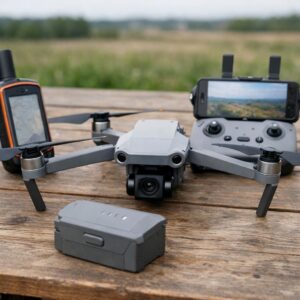
The DJI Mini 3 remains the best budget camera drone in 2026 because it delivers core professional features at a price that undercuts most competitors. At approximately $500 for the base model or $700 with the Fly More Combo, it offers a half-inch CMOS sensor, 4K video at 30fps, a three-axis mechanical gimbal, and 38 minutes of flight time per battery.
The camera produces images that are genuinely usable for social media, personal travel content, and even light commercial work. The 12-megapixel stills have adequate dynamic range for daylight shooting, and the 4K video is sharp enough for YouTube and Instagram Reels. The gimbal stabilization is mechanical, not electronic, which means no cropping or artifacts during movement. I have used Mini 3 footage in client projects where the deliverable was web-based, and the quality difference versus a Mavic 3 Pro was invisible at typical viewing sizes.
The compromise is obstacle avoidance. The Mini 3 has downward sensors for stable hovering but lacks forward, rear, and side sensors. This means you must fly carefully near obstacles. For beginners with access to open fields, this is manageable. For pilots who will fly near trees, buildings, or in complex environments, the missing sensors increase crash risk. I recommend the Mini 3 for pilots who have open practice space and have developed basic spatial awareness, either through toy drone experience or careful initial practice.
Transmission uses DJI’s O2 system, which is reliable to approximately 6 kilometers in open conditions and 2 to 3 kilometers in suburban areas. This is less than the O4 system on newer models but more than adequate for any budget use case. The controller is comfortable, the app is mature, and the ecosystem of accessories is extensive. For the price, nothing else matches the combination of image quality, flight time, and reliability.
Best Ultra-Budget Option: Ryze Tello
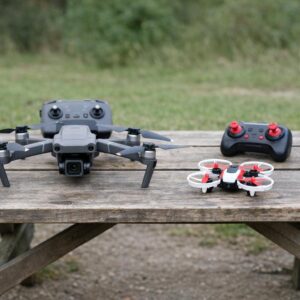
The Ryze Tello, priced at approximately $100, is not a camera drone in the traditional sense. Its 5-megapixel camera and 720p video are far below the quality threshold for content creation. However, it is the best ultra-budget option for two specific use cases: learning to fly before investing in a better camera, and casual indoor photography where image quality is secondary to accessibility.
The Tello is remarkably durable. It survives crashes that would destroy more expensive drones. It is lightweight enough to fly indoors without significant damage risk to property or people. The camera, while limited, is adequate for documenting indoor spaces, capturing casual moments at family gatherings, and practicing aerial composition before moving to a higher-quality platform. I recommend the Tello to anyone who is unsure whether drone photography will become a lasting interest. The $100 investment lets you test the hobby without committing to a $500 or $1,000 purchase.
The limitation is severe: the footage is not usable for professional or semi-professional output. Do not buy the Tello expecting to create content for clients, monetized channels, or print. Buy it expecting to learn, crash, and decide whether aerial photography is worth a larger investment. When you outgrow the Tello, the skills you developed transfer directly to a Mini 3 or Air 3.
Best Budget Alternative: Autel EVO Nano+
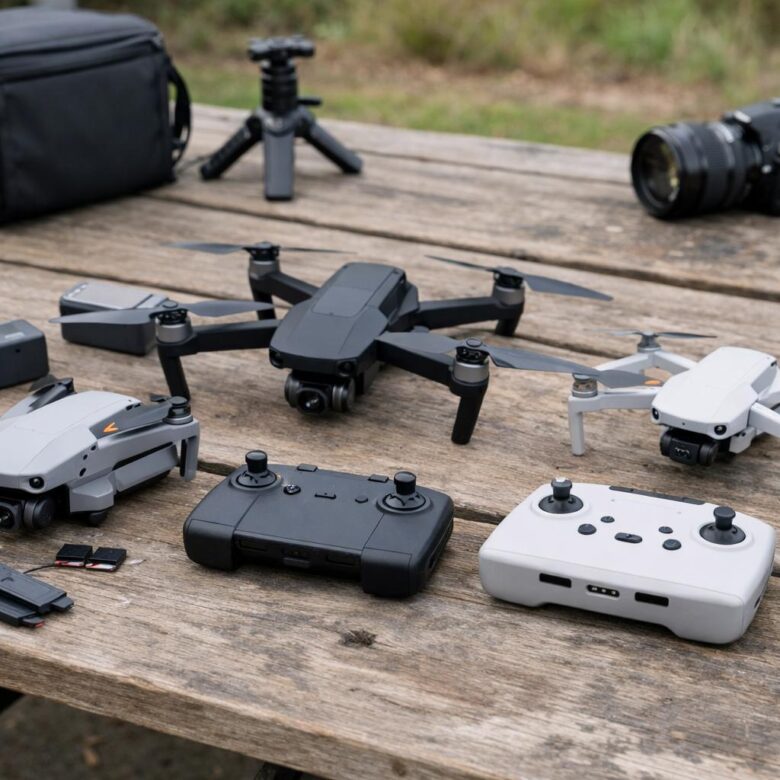
The Autel EVO Nano+ competes directly with the DJI Mini 3 in price and features. At approximately $600 for the base model, it offers a slightly larger half-inch sensor, 50-megapixel stills through pixel binning, and a similar three-axis gimbal. The video is 4K at 30fps with adequate bitrate for clean editing.
Where the Nano+ differs from the Mini 3 is in obstacle avoidance and transmission. It includes front, rear, and downward sensors, providing better protection than the Mini 3’s downward-only system. The transmission system claims similar range to DJI’s O2 but in practice is slightly less reliable in urban interference. For open-field flying, the difference is negligible. For suburban or light urban use, the Mini 3’s transmission is more stable.
The Nano+ has one advantage that matters for some users: no geofencing lock. DJI drones use geofencing to prevent flight in restricted zones, which is a safety feature but can be frustrating when the database is inaccurate or when you have legitimate authorization that the app does not recognize. Autel does not implement geofencing, giving the pilot full responsibility for airspace compliance. I prefer this approach for experienced pilots but caution beginners that the safety net is removed. If you are prone to impulsive decisions or poor airspace research, the DJI geofencing is a valuable protection.
Autel’s app ecosystem is less mature than DJI’s. Flight planning, editing, and community features are adequate but not as polished. For pilots who will process footage in external software like DaVinci Resolve or Adobe Premiere, this is irrelevant. For pilots who want an all-in-one mobile workflow, the DJI ecosystem is superior.
Best Budget FPV Option: BetaFPV Cetus Pro
First-person view flying is a distinct discipline from camera drone photography, but it overlaps for creators who want dynamic, immersive footage. The BetaFPV Cetus Pro, priced at approximately $150, is a complete FPV starter kit including the drone, goggles, and controller. It is not a camera drone in the traditional sense, but it records 1080p video that is usable for social media content where energy and movement matter more than image quality.
The Cetus Pro is designed for learning. It has three flight modes that progress from self-leveling beginner mode to full manual acrobatic mode. The durability is exceptional; the frame is designed to survive crashes that are inevitable during FPV learning. I recommend the Cetus Pro for pilots who are interested in FPV specifically, not as a general camera drone alternative. The footage is shaky, the color is limited, and the battery life is 5 to 8 minutes. But the perspective is unique, and the learning curve builds piloting skills that transfer to all drone categories.
The limitation is that FPV requires significant practice before producing usable footage. Expect 20 to 30 hours of simulator and real flight time before capturing smooth, intentional shots. If your goal is immediate content creation, a Mini 3 is the better choice. If your goal is long-term skill development and a unique visual style, the Cetus Pro is the best budget entry point.
What to Avoid in the Budget Segment
The budget drone market is flooded with products that promise professional features at impossibly low prices. These are traps for uninformed buyers. Understanding what to avoid is as important as knowing what to buy.
No-name brands with exaggerated specifications: A $120 drone that claims 4K video and 30-minute flight time is lying about at least one of those numbers. The 4K is often upscaled 1080p, and the 30 minutes is measured in hover with no wind at sea level. The gimbal is usually electronic stabilization that crops the frame and introduces artifacts. The transmission is standard Wi-Fi that drops at 100 meters. I have tested several of these drones for comparison purposes, and none produced usable footage. The money is better spent on a used DJI Mini 2 or a Tello.
Fixed-camera drones without gimbals: Some budget drones mount the camera rigidly to the body, relying on electronic stabilization or no stabilization at all. The result is footage that shakes with every motor vibration and wind gust. Mechanical gimbals are non-negotiable for usable video. If a drone does not specify a three-axis mechanical gimbal, assume the footage will be unusable for anything beyond personal memory viewing.
Drones without GPS: GPS is essential for stable hovering, return-to-home, and wind resistance. Non-GPS drones rely on barometric altitude hold and optical flow, which work only in ideal conditions with clear ground texture and minimal wind. Indoors, they are adequate. Outdoors, they drift, wander, and require constant correction that exhausts the pilot and ruins footage. Every budget camera drone recommendation in this guide includes GPS; avoid any model that does not.
Used drones without documented history: The used market has legitimate deals, but it also has drones with hidden crash damage, degraded batteries, and outdated firmware. A used Mini 2 from a careful owner with maintenance records is a good buy at $300. A used Mini 2 from an unknown seller with no history is a gamble. If you buy used, inspect the gimbal for smooth movement, check battery cycle counts in the app, and verify that all sensors report normal status. Factor in the cost of a new battery set ($100 to $150) when evaluating the total price.
Budget Drone Accessories Worth Buying
Even budget drones benefit from a few accessories that improve usability and protect the investment. These are not luxuries; they are practical additions that extend the value of the purchase.
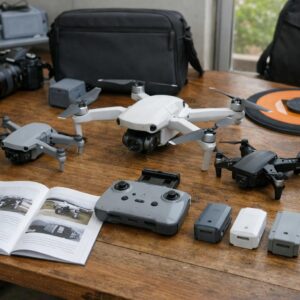
Extra batteries: A single battery provides 25 to 38 minutes of flight, which is not enough for a productive session. The Fly More Combo bundles that include two extra batteries and a charging hub are worth the premium. For the Mini 3, the combo adds $200 to the base price but triples the available flight time. I do not recommend buying a drone without at least two batteries.
ND filters: Neutral density filters are essential for video work. They allow the correct shutter speed for motion blur without overexposing the image. A set of ND8, ND16, and ND32 covers most daylight conditions. Budget drones often have smaller filter ecosystems than professional models, but third-party manufacturers like Freewell and PolarPro make quality filters for the Mini series. Expect to pay $40 to $60 for a three-filter set.
Landing pad: A foldable landing pad protects the drone from dust, grass, and debris during takeoff and landing. It also provides a visible target that improves landing accuracy, which is particularly helpful for beginners who struggle with precise touchdowns. A 30-inch pad costs $15 to $20 and folds to the size of a dinner plate.
Carrying case: The included case with most budget drones is adequate for local transport. If you will travel by air or carry the drone in a backpack with other equipment, consider a hard case or padded insert. The protection is worth the cost when you consider the replacement price of a damaged gimbal or camera.
Matching the Drone to Your Output
The best budget drone is the one that matches your actual requirements, not the one with the most impressive specification sheet. Consider your output format and audience before deciding.
Social media and casual sharing: The Mini 3 is ideal. The 4K video downscales cleanly to 1080p for Instagram and TikTok, and the gimbal stabilization produces smooth footage that looks professional without extensive editing. The portability means you will actually carry it on trips rather than leaving it at home because of bulk.
Travel documentation: The Mini 3 or Nano+ both work. Prioritize flight time and portability over absolute image quality. The best travel drone is the one that fits in your daypack and is ready to launch in two minutes. I have missed shots because I left a larger drone in the hotel; I have never missed a shot with a Mini in my messenger bag.
Real estate hobby work: The Mini 3 is sufficient for personal projects and small-scale marketing. For client work, save for an Air 3 or Mavic 3 Pro. The larger sensor, dual cameras, and superior wind resistance make a visible difference in professional deliverables. Budget drones can produce acceptable real estate content, but they limit the angles, lighting conditions, and weather in which you can work.
Learning and skill building: The Tello or Cetus Pro. Both are cheap enough to crash without financial stress, durable enough to survive those crashes, and limited enough that you will outgrow them and appreciate the upgrade when you move to a camera drone. The skills developed on these platforms transfer directly and prevent the expensive mistakes that beginners make on more capable equipment.
Budget Drone Recommendations Summary
| Category | Model | Price | Best For |
|---|---|---|---|
| Best overall budget | DJI Mini 3 | $500 – $700 | Social media, travel, light commercial work |
| Best ultra-budget | Ryze Tello | $100 | Learning, indoor practice, casual use |
| Best budget alternative | Autel EVO Nano+ | $600 | Pilots who want obstacle avoidance without geofencing |
| Best budget FPV | BetaFPV Cetus Pro | $150 | FPV learning, dynamic social media content |
Next: Improve your shots with our guide on Common Drone Photography Mistakes and How to Avoid Them.
About the author: Marcus Chen is a Part 107-certified drone pilot and aerial photography instructor based in Austin, Texas. He has logged over 400 flight hours across DJI, Autel, and FPV platforms for real estate, travel, and commercial projects.
This content is provided for informational purposes only. Prices and specifications change frequently; verify current details with manufacturers before purchasing. This guide contains affiliate links that may earn commissions at no additional cost to you.

Marcus Chen is a Part 107-certified drone pilot and aerial photography instructor based in Austin, Texas. With over six years of hands-on experience flying DJI, Autel, and FPV drones for real estate, travel content, and commercial projects, he founded Dflyco AirView to help beginners and hobbyists navigate the increasingly complex world of consumer drones. Marcus holds a bachelor’s degree in Media Production from the University of Texas and regularly contributes to local photography workshops. When not flying, he tests new drone firmware, reviews emerging camera tech, and documents Texas Hill Country from above.